<img alt="" src="https://secure.bank8line.com/220276.png" style="display:none;">

AP Automation for Microsoft Dynamics 365 Finance

What Is AP Automation for Microsoft Dynamics 365 Finance?

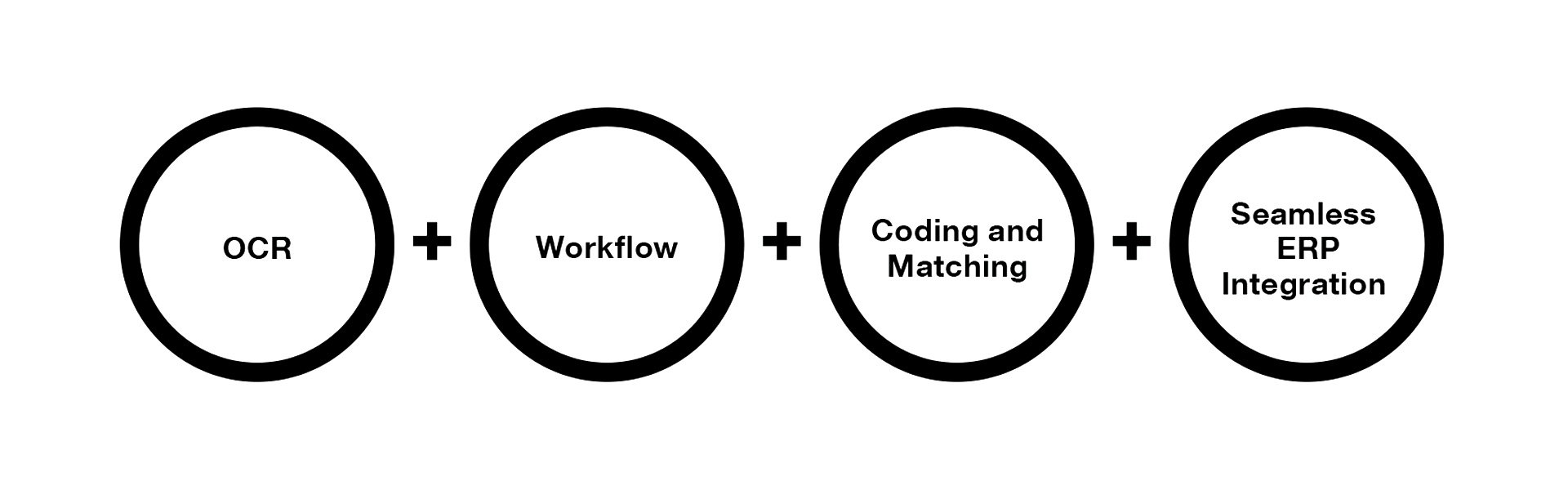
AP automation for Microsoft Dynamics 365 Finance digitizes and automates invoice capture, validation, matching, approval, and posting directly inside D365 Finance.

Instead of manually entering invoices and routing approvals through email, finance teams use automation to:

  • Capture invoices via OCR and AI
  • Validate invoice data automatically
  • Match invoices to purchase orders
  • Route approvals intelligently
  • Post directly into D365 Finance

What is Accounts Payable Automation?

The result is faster processing, higher touchless rates, and lower cost per invoice.

Why Do D365 Finance Users Need AP Automation?

Microsoft Dynamics 365 Finance provides strong financial controls, but accounts payable processes often remain partially manual.

Common challenges inside D365 Finance include:

  • High volumes of PDF and email invoices
  • Manual invoice coding
  • Approval bottlenecks
  • Matching exceptions
  • Limited visibility across entities
  • Delayed month-end close
  • Increasing touchless invoice processing
  • Reducing manual data entry
  • Accelerating approval cycles
  • Improving audit compliance
  • Enhancing cash flow visibility

Manual invoice processing can cost between $10–$20 per invoice depending on complexity.

For multi-entity or high-growth organizations using D365 Finance, these inefficiencies scale quickly.

AP automation solves these challenges by:

  • Increasing touchless invoice processing
  • Reducing manual data entry
  • Accelerating approval cycles
  • Improving audit compliance
  • Enhancing cash flow visibility

How Does AP Automation Work Inside Microsoft Dynamics 365 Finance? 

AP automation in D365 Finance follows five core steps: capture, validation, matching, approval, and posting.

How Are Invoices Captured in D365 Finance?

Invoices can enter the system through:

▫️ Email
▫️ Vendor portal
▫️ EDI
▫️ Scan upload
▫️ Vendor name
▫️ Invoice number
▫️ Amount
▫️ PO reference
▫️ Line-level details


OCR and AI extract key invoice data such as:

▫️ Vendor name
▫️ Invoice number
▫️ Amount
▫️ PO reference
▫️ Line-level details


The system validates extracted data against D365 Finance vendor master records to ensure accuracy before processing continues.

How Does Automatic Validation and Coding Work?

Once captured, invoice data is automatically validated against:

▫️ Vendor records
▫️ Duplicate invoice detection rules
▫️ Tax configurations
▫️ Currency settings
▫️ Legal entity alignment
▫️ Historical posting patterns
▫️ Vendor defaults
▫️ Machine learning models


Coding suggestions are generated using:

▫️Historical posting patterns
▫️ Vendor defaults
▫️ Machine learning models

This significantly reduces manual entry while maintaining financial control.

How Does 2-Way and 3-Way Matching Work in D365 Finance?

For PO-based invoices, automation compares invoice data against:

▫️ Purchase orders
▫️ Goods receipts
▫️ Pricing agreements
▫️ Validates quantities and prices
▫️ Applies tolerance thresholds
▫️ Flags exceptions automatically
▫️ All data matches within defined tolerances
▫️ No discrepancies require manual review


The system:

▫️ Validates quantities and prices
▫️ Applies tolerance thresholds
▫️ Flags exceptions automatically


Touchless processing occurs when:

▫️ All data matches within defined tolerances
▫️ No discrepancies require manual review


This dramatically improves efficiency and reduces AP workload.

How Are Approvals Automated in D365 Finance?

Approval workflows can be configured to match your organizational structure, including:

▫️ Role-based approvals
▫️ Amount-based thresholds
▫️ Department-based routing
▫️ Legal entity-specific workflows
▫️ Instant routing
▫️ Automatic escalations
▫️ Mobile approvals
▫️ Complete audit trails


Automation ensures:

▫️ Instant routing
▫️ Automatic escalations
▫️ Mobile approvals
▫️ Complete audit trails


This reduces delays and increases invoice throughput.

How Are Invoices Posted in D365 Finance?

Once approved:

▫️ Invoices are posted directly in D365 Finance
▫️ Financial dimensions are applied
▫️ The general ledger is updated
▫️ Reporting reflects real-time data
▫️ No middleware delays
▫️ No duplicate data entries
▫️ Clean compatibility with Microsoft updates


A solution built exclusively for D365 Finance ensures:

▫️ No middleware delays
▫️ No duplicate data entries
▫️ Clean compatibility with Microsoft updates

Does Microsoft Dynamics 365 Finance Include AP Automation?

D365 Finance includes core workflow functionality. However, advanced capabilities such as: Intelligent OCR Automated invoice coding High-level touchless processing Advanced PO matching automation typically require a specialized AP automation solution designed specifically for D365 Finance. Organizations seeking significant efficiency gains usually implement purpose-built automation alongside D365 Finance.

What Is Touchless Invoice Processing?

Touchless invoice processing means invoices are: 

  • ▫️ Captured automatically

  • ▫️ Validated automatically

  • ▫️ Matched automatically

  • ▫️ Approved automatically

  • ▫️ Posted automatically

— without human intervention.

High-performing finance teams often achieve 70–95% touchless processing rates when automation is implemented effectively within D365 Finance.

Touchless processing reduces costs, improves accuracy, and shortens processing time.

Why Choose a Purpose-Built D365 Finance AP Automation Solution?


Many AP automation vendors support multiple ERPs. While this provides broad compatibility, it can introduce generic integration layers and added complexity.

A solution built exclusively for D365 Finance offers:

  • Alignment with Microsoft data architecture
  • Deep workflow compatibility
  • Faster implementation
  • Simplified upgrades
  • No connector maintenance

How Does a Purpose-Built Solution Compare to Multi-ERP Platforms?

Capability

Built for
D365 Finance

Multi-ERP Platform

Native data alignment

Yes

Partial

Upgrade compatibility

Optimized

Variable

Workflow integration depth

Deep

Generic

Data synchronization

Direct

Layered

Implementation complexity

Lower

Higher


If your organization runs exclusively on D365 Finance, a focused solution often delivers stronger long-term performance.

What Results Can You Expect from AP Automation in D365 Finance?

Organizations implementing AP automation commonly achieve:

  • 70–95% touchless invoice processing
  • 50–80% reduction in manual data entry
  • 30–60% faster approval cycles
  • Reduced duplicate payments
  • Improved audit readiness

ROI typically comes from:

  • Labor savings
  • Fewer processing errors
  • Early payment discount capture
  • Reduced late fees

Many organizations realize measurable ROI within the first year.

Which Industries Benefit Most from D365 Finance AP Automation? 

Manufacturing

  • High PO volume
  • Complex 3-way matching requirements
  • Multi-entity structures
  • Large vendor networks
  • High invoice volume
  • Centralized shared service centers
  • Multiple legal entities
  • Multi-currency environments
  • Tax and regulatory complexity


Retail and Distribution

  • Large vendor networks
  • High invoice volume
  • Centralized shared service centers


Global Enterprises

  • Multiple legal entities
  • Multi-currency environments
  • Tax and regulatory complexity

AP automation ensures consistent invoice processing across entities and regions.

How Does AP Automation Integrate with Microsoft Dynamics 365 Finance?

Finance leaders evaluating solutions should consider:

  • Hosting model
  • Azure compatibility
  • Security framework
  • Upgrade alignment
  • Data synchronization model
  • Reporting integration

A D365 Finance-focused solution:

  • Aligns with Microsoft release cycles
  • Leverages D365 security roles
  • Maintains full audit traceability
  • Reduces upgrade disruption

Deep integration is critical for long-term scalability.

What Should You Look for in the Best AP Automation for D365 Finance? 

When evaluating solutions, prioritize:

▫️ Exclusive focus on Microsoft Dynamics 365 Finance
▫️ Proven touchless processing rates
▫️ Strong 2-way and 3-way matching engine
▫️ Configurable approval workflows
▫️ Multi-entity support
▫️ Transparent ROI metrics
▫️ Upgrade-safe architecture

If D365 Finance is your only ERP, avoid generic multi-ERP platforms that add unnecessary layers.

How Long Does AP Automation Implementation Take?


Implementation timelines vary depending on complexity, invoice volume, and workflow requirements.

However, purpose-built D365 Finance solutions typically deploy faster than multi-ERP systems because:

  • Integration is already aligned
  • Data structures match natively
  • Fewer connectors are required

Clear planning and configuration ensure rapid time to value.

How Much ROI Can AP Automation Generate? 

ROI depends on:

  • Invoice volume
  • Labor costs
  • Current processing inefficiencies
  • Touchless rate achieved

Most organizations experience significant cost reduction, faster processing, and improved financial visibility within the first year.

Scott Schlegel
This is Scott, our AP and accounting specialist with 30 years of experience implementing, training and supporting AP.

Ready to Automate Accounts Payable in Microsoft Dynamics 365 Finance?

AP automation transforms invoice processing from a manual bottleneck into a streamlined, intelligent workflow. If your organization runs exclusively on Microsoft Dynamics 365 Finance, a purpose-built solution can maximize efficiency without adding complexity. Request a demo to see how AP automation works directly inside D365 Finance.
Book a Meeting